Move through review faster
Control speed, seek precisely, use keyboard shortcuts, tag passages, and resume exactly where you stopped.

Professional Mac transcription software
Transcribe locally, review every word, manage speakers, organize projects, and export professional documents and captions—all in one focused workspace.
Available now for Mac on the App Store.
Built for the work after recording
Tanevio keeps playback, corrections, speakers, projects, and final files connected from beginning to end.
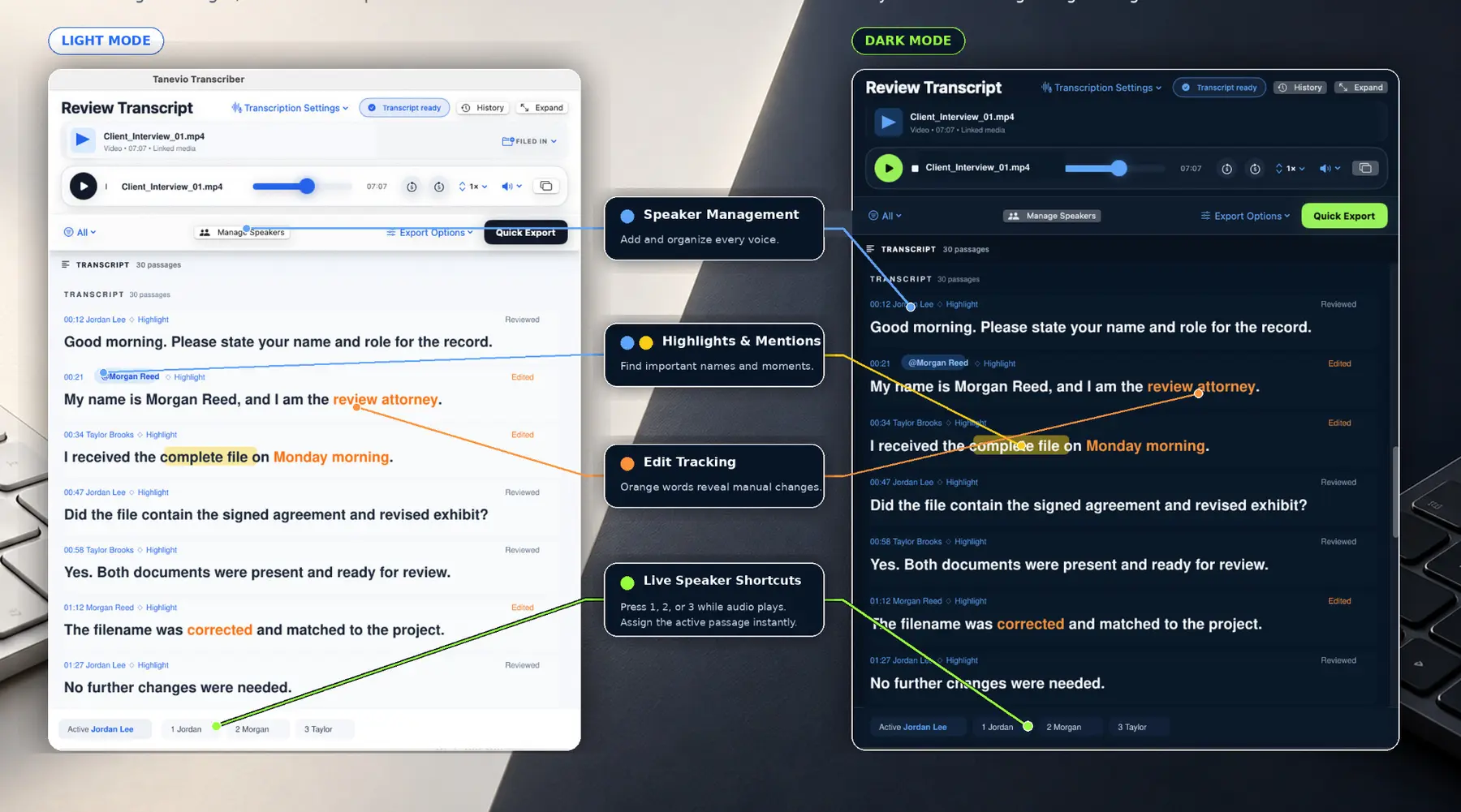
Control speed, seek precisely, use keyboard shortcuts, tag passages, and resume exactly where you stopped.
Add, rename, merge, remove, color-code, and reassign speakers without losing the conversation.
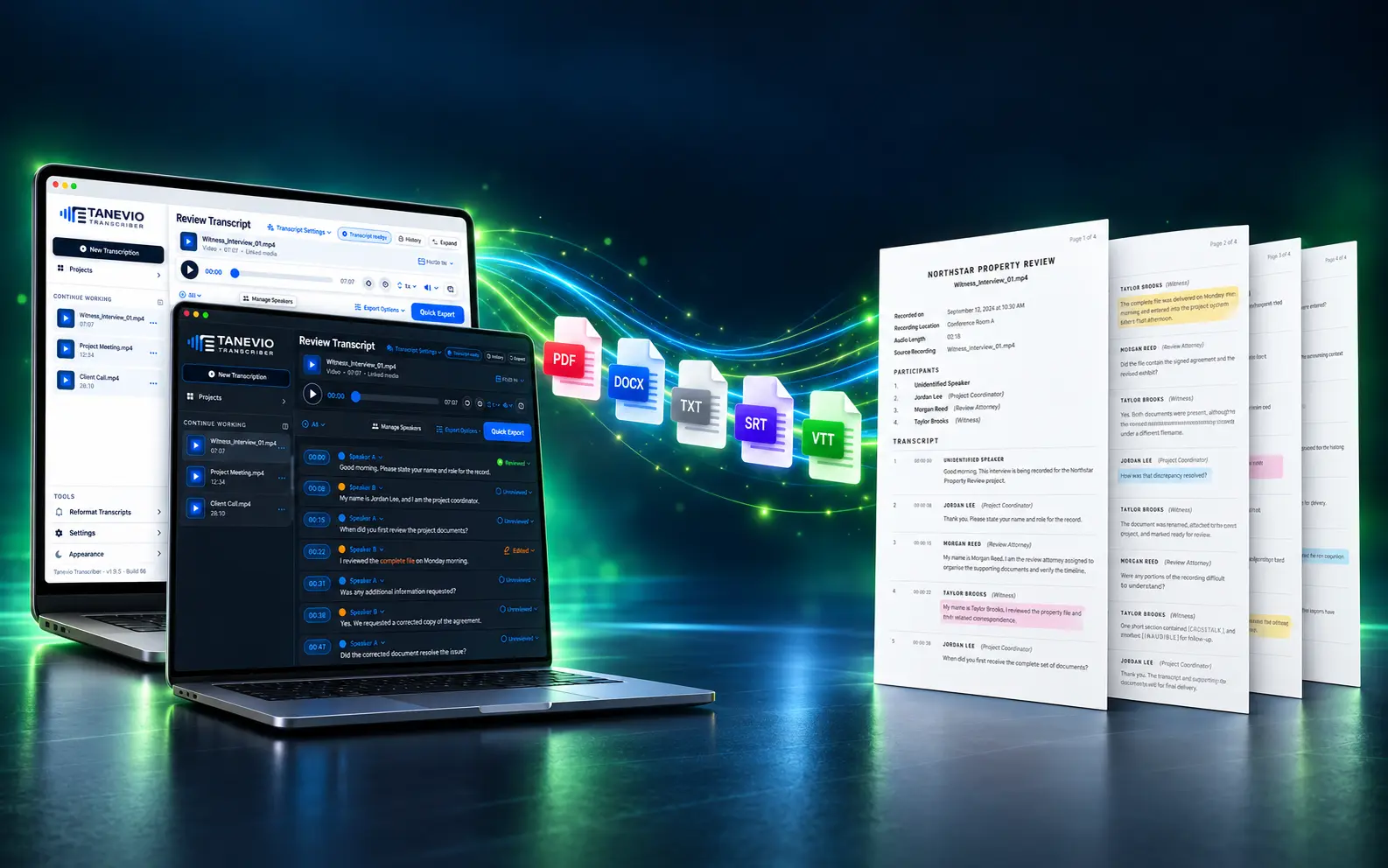
Turn working text into polished PDF, Word, text, caption, and subtitle files for real-world use.
Mac-first speed and control
Tanevio Transcriber is designed for people who regularly turn interviews, meetings, podcasts, videos, research recordings, and legal or business audio into usable written records.
Core transcription and project work run locally on your Mac. You can process multiple files, correct text while following synchronized playback, keep speaker names consistent, and deliver PDF, Word, TXT, SRT, or VTT files from the same application.
The complete workflow
One connected path from import to professional delivery.
See the software in action
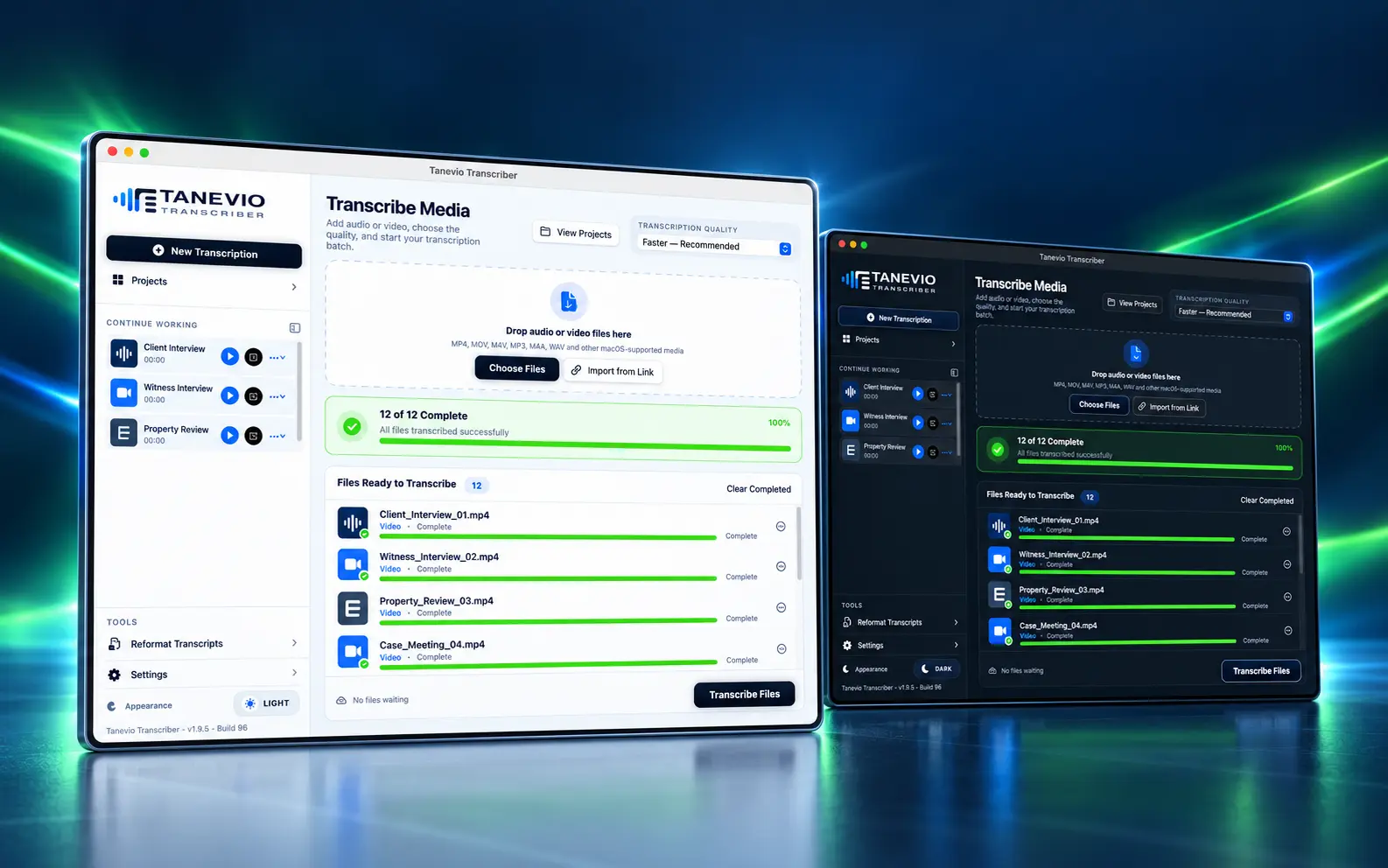
Five focused product views show how Tanevio moves from incoming media to a finished, professional transcript.
Bring audio and video into one queue, choose the transcription quality, and follow every file through completion without losing sight of the rest of your work.
Synchronized playback keeps the recording and transcript together. Edited words stay visible, while speaker tools and keyboard shortcuts help long reviews move faster.
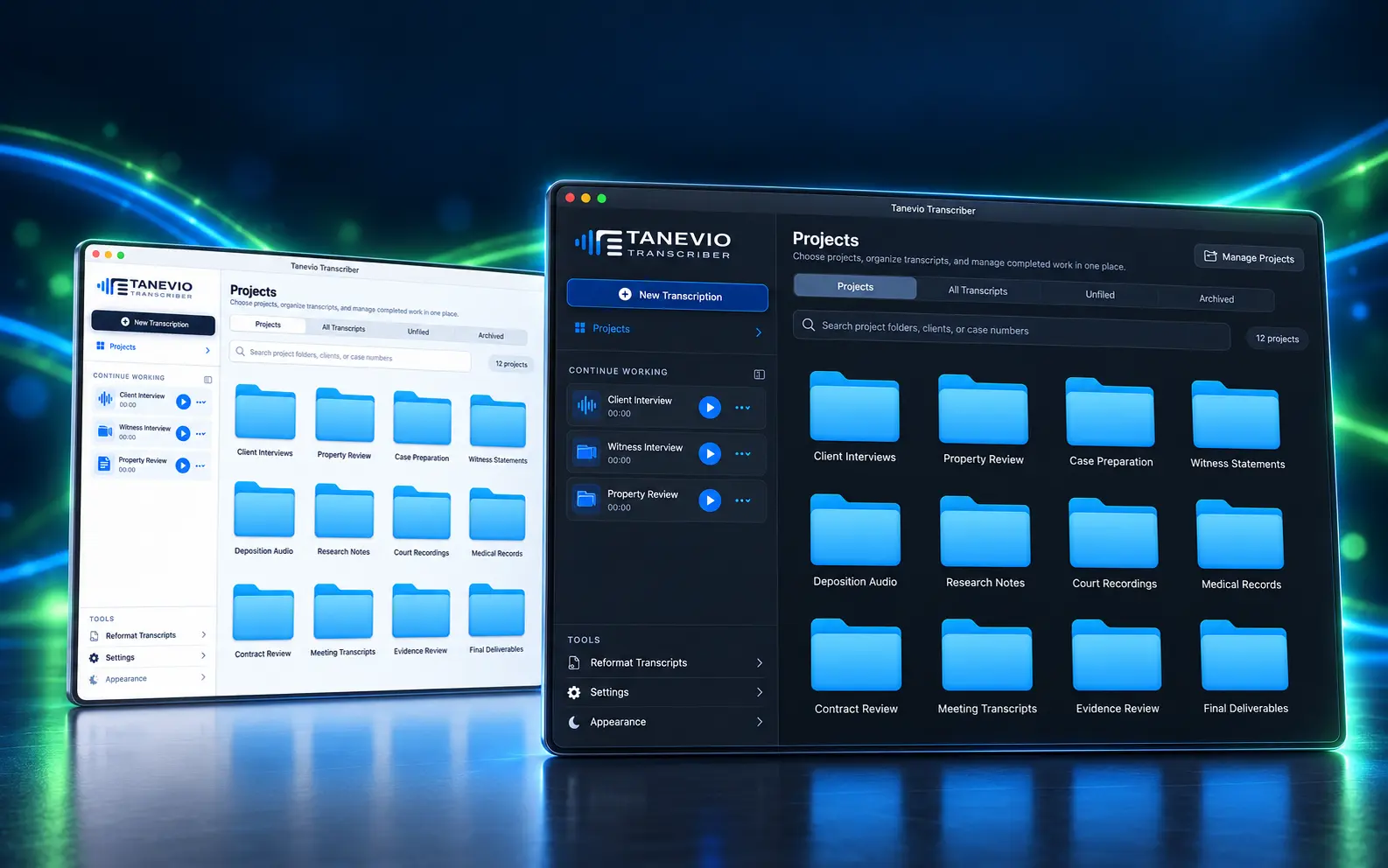
Move between recent transcripts and project folders from one familiar workspace, so interviews, meetings, cases, and deliverables stay organized as your library grows.
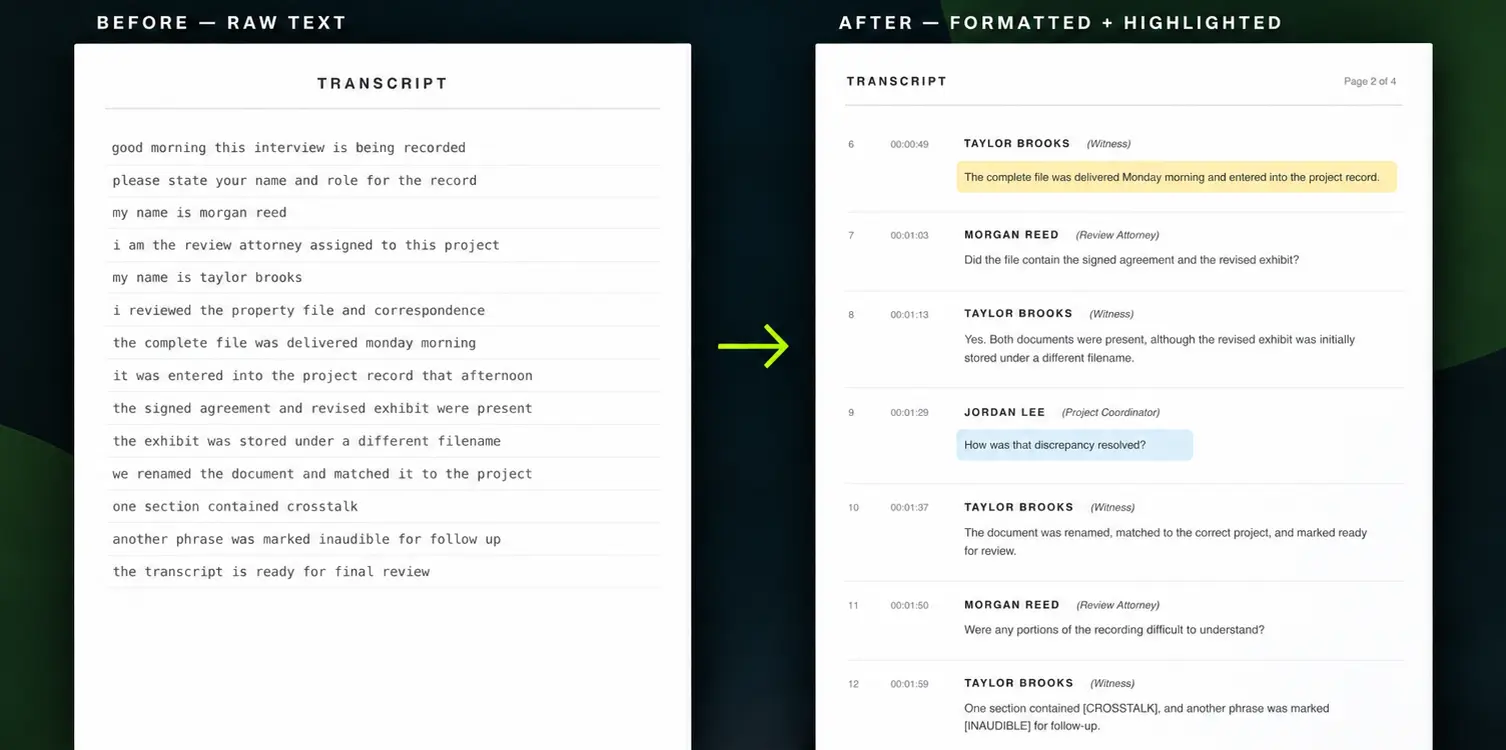
Start with raw text and produce a readable, speaker-labeled document with timestamps and highlighted passages—without rebuilding the transcript by hand.
Finish inside the same workspace, then create professional documents, plain text, captions, or subtitles for clients, collaborators, and publishing platforms.
Privacy with practical control
Transcription, editing, speaker management, project organization, and export happen locally on your Mac. No Tanevio account or user-provided AI API key is required.
The best fit should support your audio and video formats, process files at a practical speed, make corrections easy, keep speakers organized, and export the formats your work requires. Tanevio brings those steps together in one Mac workspace.
Yes. You can import common audio and video files, transcribe them locally on your Mac, review the result alongside synchronized playback, and export the finished transcript or captions.
Yes. Transcription, editing, speaker management, organization, and export run locally on your Mac. A transcription model may be downloaded and cached when first needed, but your recordings and transcripts are not sent to Tanevio.
The workspace supports common macOS audio and video formats, including MP4, MOV, M4V, MP3, M4A, and WAV.
Export options include professional PDF and Word documents, plain text, SRT captions, and VTT subtitles. You can export one transcript or process an entire batch.
Yes. Tanevio saves project progress so you can reopen your latest work and continue reviewing without starting over.
No. Tanevio Transcriber does not require a Tanevio account or a user-provided AI API key. The transcription technology runs locally after any required model download.